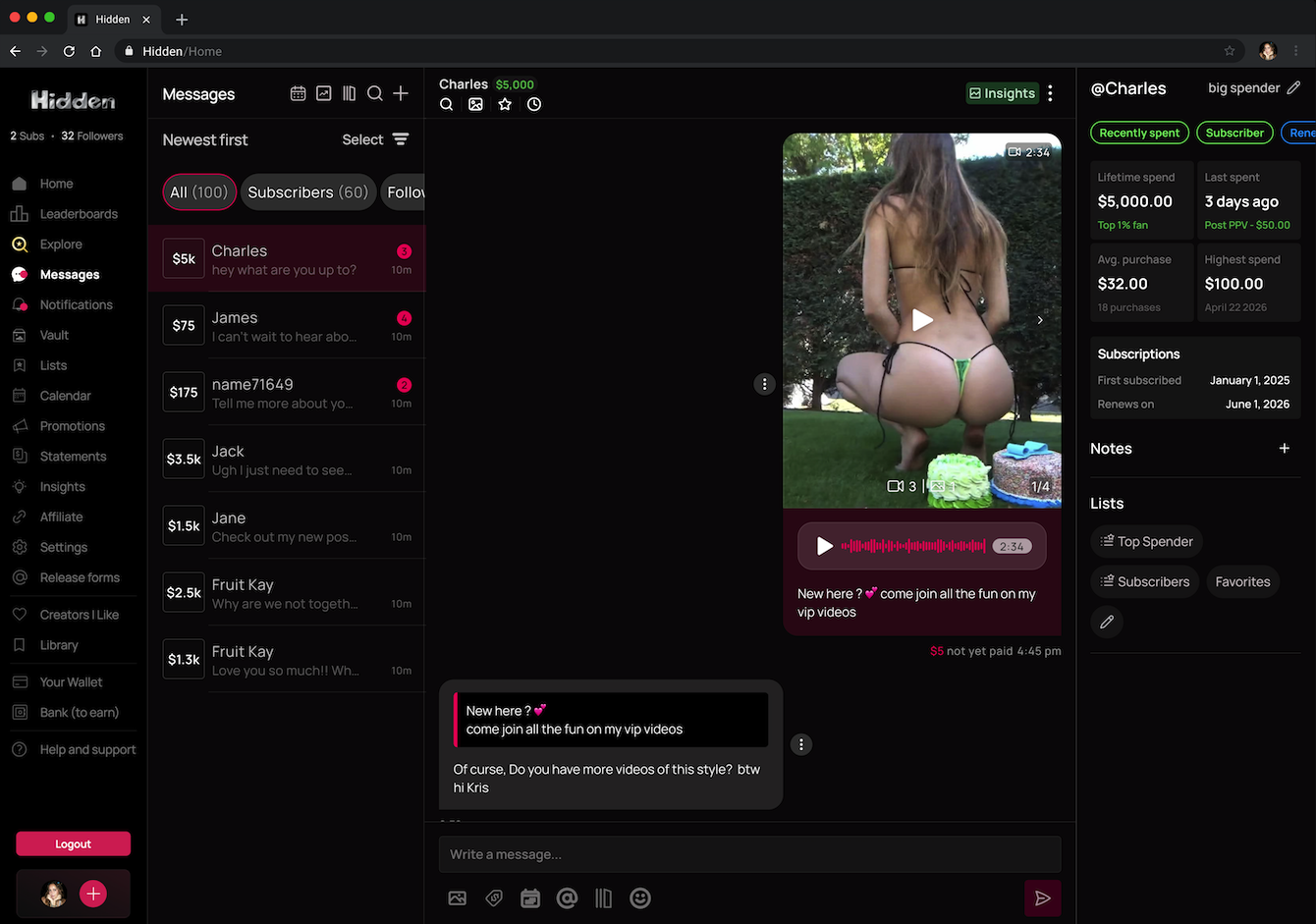
An insights panel inside your messages showing who a fan is, how they spend, where they are in their subscription, and anything you have noted about them. Entirely private to you.
Where to find it
On desktop it sits as a panel on the right of every conversation. On mobile, tap Insights in the chat header and it drops down from the top.
The chat header also shows the fan's name, or your nickname for them, and their total lifetime spend with you.
Nicknames
Add a nickname and it replaces their username everywhere you see them: inbox, lists, notifications. It never appears on financial statements. Clear it any time to go back to their handle.
Status tags
Assigned automatically from what each fan actually does. Every fan has exactly one subscription tag, and at most one spending tag.
Are they subscribed
| Subscriber | Active subscription right now |
| Expired | Was subscribed, now lapsed |
| Never subscribed | Has never subscribed to you |
Will they renew
Only shows for current subscribers.
| Renew on | Auto-renewing, not cancelled |
| Renew off | Cancelled. They keep access until the cycle ends, then lapse. This is your warning that someone is leaving. |
How they spend
| Recently spent | A tip, unlock, or store purchase in the last 48 hours |
| Low spender | Has spent before, but nothing in the last 30 days |
| Never spent | Has never paid you anything |
| No tag | A subscriber who has never bought extras, or whose last extra was between 2 and 30 days ago |
Spending snapshot
Four tiles, all specific to what this fan has spent with you rather than anywhere else.
| Lifetime spend Everything, including subscriptions. Shows a percentile once you have ten or more paying fans. |
| Last spent How long since their last extra purchase, and what it was. |
| Average purchase Their typical extra, and how many they have made. |
| Highest spend Their single biggest extra, and when. |
The last three count discretionary spend only, meaning tips, unlocked messages, and store purchases. Subscription payments and renewals are excluded from those three but included in lifetime spend.
Subscription timeline
Shows when they first subscribed, and either the next renewal date or the date their access ends if they have cancelled. Expired and never-subscribed fans show a dash.
Notes and lists
Notes are your private notebook on each fan, up to a thousand characters each and as many as you like. They show newest first with a timestamp, can be edited or deleted, and stay with that fan permanently.
Lists show as chips, with a sparkle marking automatically generated ones. Tap the pencil to add or remove someone, and the change flows straight through to your inbox filters and mass messaging.
Common questions
+Can fans see any of this?
No. Fans do not know it exists and never see your nicknames, notes, tags, or their own spend data.
+What is the difference between Never spent and Low spender?
Never spent means they have never paid you anything. Low spender means they used to buy extras and have not in the last thirty days.
+Why does a fan have no spending tag?
Either they are a subscriber who has never bought an extra, or their last one was between 2 and 30 days ago, which falls between the two tags.
+Does lifetime spend include subscriptions?
Yes. Only the other three tiles exclude them.
Related
Figures not looking right? Contact support.
0 of 0 found this helpful
Didn't answer your question?
Open a ticket and include the specifics. Get support.